Table of Contents
- Pricing Structures and Scaling Costs
- Ease of Use vs. CRM Integration Depth
- Automation Workflows and Trigger Logic
- Deliverability, Reporting, and Analytics
- Ecosystems and Third-Party Integration
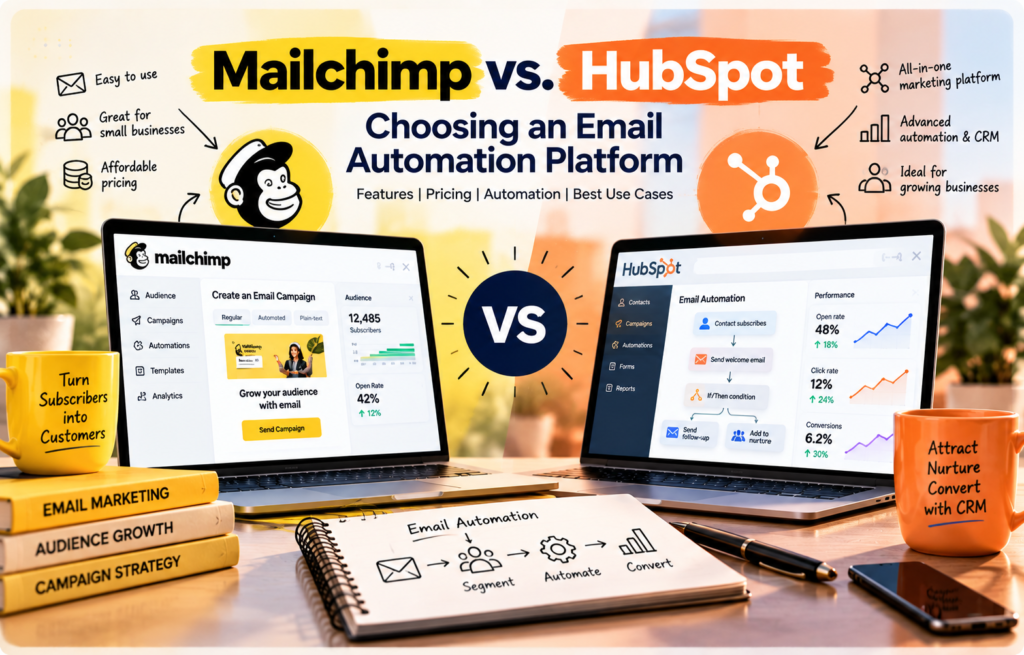
Choosing the right email marketing software requires looking past basic feature checklists. While both Mailchimp and HubSpot send emails, they are built on fundamentally different architectures. Mailchimp began as a dedicated email tool and expanded into a broader marketing platform. HubSpot was built from the ground up as a customer relationship management (CRM) platform with an integrated marketing suite.
This structural difference impacts how both platforms scale, how they charge you, and how they handle your customer data.
—
Pricing Structures and Scaling Costs
Budget predictability is a major pain point when scaling email marketing. Both platforms use contact-based pricing, but their models diverge quickly as your audience expands.
Mailchimp charges based on your total contact count. If you have the same contact in three different audiences on older plans, they may count multiple times. On modern plans, Mailchimp offers Free, Essentials, Standard, and Premium tiers.
Overage fees on Mailchimp occur automatically if you exceed your tier's contact limit. Instead of pausing your campaigns, Mailchimp bills you for additional blocks of contacts, which can cause unexpected invoice spikes.
HubSpot’s Marketing Hub uses a "Marketing Contacts" model. You only pay for the contacts you actively target with marketing emails or ads. You can store up to one million non-marketing contacts (such as sales leads or historical records) in the CRM for free.
However, HubSpot’s pricing tiers—Starter, Professional, and Enterprise—have steep price jumps. Upgrading from Starter to Professional involves a significant increase in monthly commitments, often requiring annual contracts.
Predicting costs as your subscriber list grows
Here is how costs scale when growing from 2,500 contacts to 25,000 contacts:
- At 2,500 contacts: Mailchimp’s Standard plan costs around $60 per month. HubSpot Marketing Hub Starter begins at approximately $20 per month but offers limited automation.
- At 10,000 contacts: Mailchimp Standard rises to roughly $135 per month. To get comparable automation in HubSpot, you must move to the Professional tier, which starts at $800 per month (billed annually) for 2,000 contacts, plus incremental costs for the extra 8,000 marketing contacts.
- At 25,000 contacts: Mailchimp Standard costs about $270 per month. HubSpot Professional exceeds $1,000 per month.
Evaluating long-term ROI for small businesses
For a small business focused strictly on newsletters, promotional blasts, and simple welcome sequences, Mailchimp offers a faster path to positive ROI. The low monthly cost matches the direct revenue generated by simple campaigns.
HubSpot’s ROI model relies on closed-loop reporting and sales alignment. If your business sells high-ticket services or B2B contracts, a single deal closed through HubSpot’s CRM integration can justify the higher platform cost. If you sell low-margin e-commerce items, paying for HubSpot's advanced CRM features may drain your margins.
Beyond subscription tiers, watch out for hidden costs:
- Transactional Emails: Mailchimp requires a paid add-on (Mandrill) to send transactional emails like purchase receipts. HubSpot includes transactional email options in its higher tiers or as a paid add-on.
- User Seats: Mailchimp limits user seats based on the plan tier. HubSpot charges for "seats" primarily on its Sales and Service Hubs, but if your marketing team needs write-access to sales tools, seat costs can escalate.
—
Ease of Use vs. CRM Integration Depth
The day-to-day experience of using these platforms depends on who is building your campaigns and how you use customer data.
Mailchimp is famous for its clean, friendly user interface. A single marketer can log in, use the drag-and-drop email builder, select an audience segment, and schedule a polished campaign within thirty minutes. The platform relies on a flat list-based structure, using tags and groups to organize contacts.
“` Mailchimp Data Structure: [Single Contact List] ──> Organized by [Tags] and [Groups] (Flat Structure)
HubSpot Data Structure: [Central CRM Engine] ──> Relates [Contacts] ──> [Companies] ──> [Deals] ──> [Tickets] (Relational Structure) “`
HubSpot operates on a relational database. Every email sent is tied to a contact record that can be linked to a company, a sales deal, a support ticket, or custom objects. This native CRM architecture means your email tool knows exactly where a prospect is in the sales pipeline, what pages they visited on your website, and whether they have an open customer service ticket.
The trade-off between simplicity and data centralization
With Mailchimp, simplicity is the main benefit. Non-technical users do not need training to build emails, run A/B tests, or view basic open rates. The learning curve is shallow. However, if you want to target emails based on sales pipeline stages, you must manually import that data or set up third-party syncing tools.
HubSpot requires a steeper learning curve. Setting up a campaign involves navigating through lists, campaigns, email assets, and workflow tools.
The payoff is complete data centralization. Your marketing team works with the exact same data as your sales and support teams. There are no synchronization delays, no mismatched contact records, and no broken integration pipelines.
—
Automation Workflows and Trigger Logic
Both platforms build automated email sequences, but they target different levels of operational complexity.
Comparing automation complexity for lifecycle marketing
Mailchimp’s Customer Journey Builder uses a visual flowchart to map out user paths. You can set up triggers based on sign-ups, tag additions, or e-commerce purchases.
“` Mailchimp Journey: [Trigger: Sign-up] ──> [Delay: 2 Days] ──> [Send Email 1] ──> [If Clicked: Add Tag] “`
It is highly visual and works well for linear campaigns, such as a four-part onboarding sequence or an abandoned cart reminder. However, it struggles with complex, multi-branch logic or actions that occur outside of email interactions.
HubSpot’s workflow engine handles highly complex logic. You can trigger actions based on any data point in your CRM:
- A contact viewed a specific pricing page three times in 48 hours.
- A deal stage changed to "Closed-Won" in your sales pipeline.
- A custom contact property was updated by an integration.
HubSpot workflows can also update CRM properties, assign tasks to sales reps, send Slack notifications, and delay steps until a specific day of the week or time of day.
“` HubSpot Workflow: [Trigger: Page View + Deal Stage] ──> [Branch: Industry Type] ├── Type A: [Assign Sales Rep] ──> [Send Custom Email] └── Type B: [Delay until Monday] ──> [Send Welcome Asset] “`
Use cases for behavioral automation
In a B2C e-commerce environment, Mailchimp’s automation is often sufficient. A typical flow might trigger when a customer buys a pair of shoes, wait seven days, and send a product recommendation email for matching socks. Mailchimp's pre-built e-commerce recipes make this quick to set up.
In a B2B environment with long sales cycles, HubSpot's advanced triggers are more effective. For example, if a prospect from a target industry downloads a whitepaper, HubSpot can assign them to a specific sales representative, send a personalized email from that representative's personal inbox, and pause the automation automatically if the prospect books a meeting on the representative's integrated calendar.
—
Deliverability, Reporting, and Analytics
An email marketing software program is only useful if your messages reach the inbox and you can measure their impact.
Both Mailchimp and HubSpot maintain excellent infrastructure deliverability. They use automated systems to detect and block spammers on their shared IP ranges, protecting the sender reputation of their customers. Both platforms support standard email authentication protocols, including SPF, DKIM, and DMARC.
Reporting differences: Campaign-centric vs. Closed-loop
Mailchimp provides campaign-centric reporting. For each send, you see:
- Open rates and click-through rates.
- Bounce rates and unsubscribe numbers.
- Revenue generated (if integrated with an e-commerce store).
- A click map showing where users clicked.
This data tells you how your specific email performed, but it does not tell you how that email contributed to your long-term sales pipeline.
HubSpot uses closed-loop attribution reporting. Because the email tool is connected to the CRM, you can track a contact from their very first website visit, through every marketing email they opened, to the final sales meeting and signed contract.
HubSpot's reporting answers strategic questions:
- Which email campaign generated the most qualified sales leads this quarter?
- What is the average sales cycle length for contacts who opened our newsletter?
- Which specific emails did our closed-won deals interact with before purchasing?
This attribution data allows marketing teams to prove their direct contribution to business revenue, rather than just reporting on vanity metrics like open rates.
—
Ecosystems and Third-Party Integration
No marketing tool operates in isolation. Your email platform must connect with your website, payment gateways, and customer databases.
Mailchimp offers a massive library of lightweight integrations, particularly for e-commerce platforms like Shopify, WooCommerce, and Squarespace. These integrations are designed for quick setup. They pass purchase data, cart abandonment triggers, and customer details back to Mailchimp with minimal configuration.
HubSpot’s App Marketplace features deep, enterprise-grade integrations. HubSpot’s API is highly robust, allowing developers to build custom connections that sync complex data objects.
If you use Salesforce, ZoomInfo, or specialized enterprise tools, HubSpot's integrations sync bidirectionally, ensuring data remains accurate across both systems.
Hybrid marketing stacks: Integrating Mailchimp and HubSpot
Some growing businesses use both platforms simultaneously. They use HubSpot as their central CRM and sales pipeline tool, but connect Mailchimp to handle high-volume, B2C-style marketing newsletters.
While native integration tools and third-party connectors (like Zapier) can sync contacts between Mailchimp and HubSpot, this hybrid approach introduces data synchronization challenges:
- Opt-out management: If a contact unsubscribes in Mailchimp, that status must update in HubSpot immediately to prevent accidental, non-compliant sales emails.
- API limits: Constant bidirectional syncing can exhaust daily API call limits on both platforms.
- Data conflicts: Overwriting contact fields can occur if clear rules are not established regarding which platform serves as the single source of truth.
For most businesses, the operational overhead of maintaining a hybrid stack eventually outweighs the cost savings of keeping Mailchimp for email delivery.
—
FAQ
Which platform is more cost-effective for small businesses?
Mailchimp is generally more cost-effective for small businesses and startups with simple marketing needs. It offers low-cost entry tiers that allow you to send newsletters and basic automated campaigns to a growing list. While HubSpot offers a free tier with basic email marketing, its paid automation features require upgrading to the Professional tier, which is a major financial leap for small budgets.
Does HubSpot require a CRM to use its email marketing features?
Yes. HubSpot’s email marketing tool is built directly on top of its free CRM. You cannot use HubSpot Email without storing your contacts in the HubSpot CRM database. This tight integration is mandatory, but it ensures that all email interactions are automatically logged on your contacts' central timelines.
How do the automation builders differ in complexity?
Mailchimp’s Customer Journey Builder is designed for visual, linear sequences based on straightforward triggers like link clicks or list sign-ups. HubSpot’s workflow engine is a highly advanced logic builder. It supports multi-branch decision trees, delays based on contact behavior, and internal CRM actions like updating lead statuses or notifying sales reps.
Is Mailchimp sufficient for enterprise-level marketing needs?
Mailchimp can handle high-volume email delivery for large organizations, but it lacks the advanced data modeling, custom object support, and sales-alignment features that enterprises typically require. If your marketing relies on complex lead scoring, multi-department sales pipelines, and detailed attribution reporting, HubSpot is better suited for enterprise operations.
Can I integrate Mailchimp with HubSpot?
Yes, you can connect the two platforms using HubSpot's native Mailchimp integration or via third-party tools like Zapier. This setup allows you to sync contact lists and pass email activity from Mailchimp into the HubSpot CRM. However, managing opt-outs, duplicate contacts, and API sync limits can make this hybrid setup difficult to maintain as your database grows.